
What is Package Tracking?
Package tracking is a monitoring system that allows senders and recipients to track the progress of shipments from origin to destination. Using unique tracking numbers, you can see updates as your package moves through the carrier's network, including pickup, transit, customs clearance, and final delivery.
Every major shipping carrier including UPS, FedEx, USPS, DHL, and Amazon Logistics provides tracking. Staff or machines scan the barcode on the label at each stage, and those scan events are what a tracking page shows.
💡 Why Tracking Matters
Peace of Mind: Know exactly where your package is at any moment
Delivery Planning: Schedule to be home when package arrives
Problem Detection: Identify delays or issues early
Proof of Delivery: Documentation for disputes or insurance claims
How Package Tracking Works
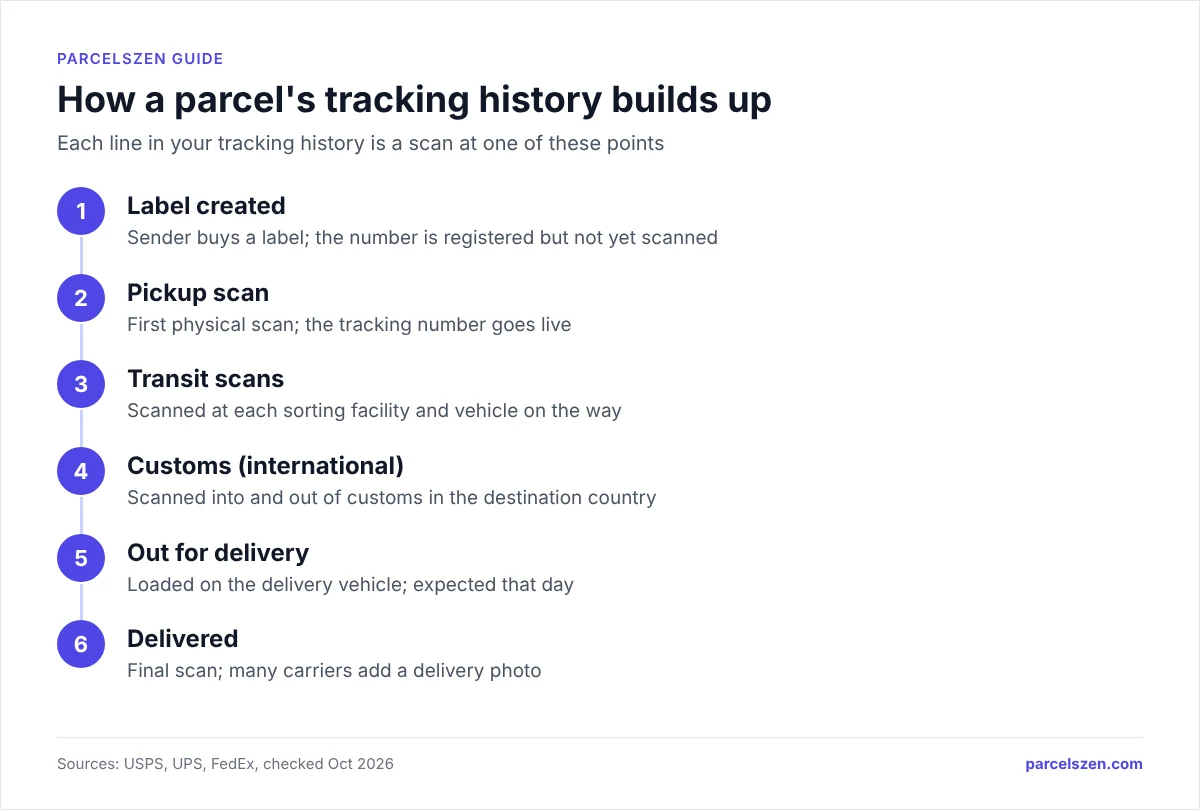
Package tracking uses a multi-step scanning process throughout the shipment journey. Here's what happens behind the scenes:
Label Creation
The sender creates a shipping label with a unique tracking number. This number is registered in the carrier's system with package details (weight, dimensions, origin, destination).
Pickup Scan
When the carrier picks up the package, it's scanned for the first time. This "acceptance scan" activates the tracking number and shows the package is in the carrier's possession.
Transit Scans
As the package moves through sorting facilities, distribution centers, and transport vehicles, it's scanned at each checkpoint. Each scan adds an update to your tracking information.
Customs Scan (International)
For international shipments, packages are scanned when entering/exiting customs. This can add several days to delivery time but provides visibility into the customs clearance process.
Out for Delivery
When loaded onto the delivery vehicle, packages receive an "out for delivery" scan. This indicates the package will be delivered that day during normal delivery hours.
Delivery Confirmation
Upon successful delivery, the driver scans the package as "delivered." Many carriers now include delivery photos, GPS coordinates, and signature confirmation (if required).
Finding Your Tracking Number
Tracking numbers are provided when a shipment is created. Here's where to find them:
For Online Purchases
- Order Confirmation Email: Check the shipping notification email from the seller. The tracking number is usually in the subject line or body of the email.
- Order Account: Log into your account on Amazon, AliExpress, SHEIN, or other marketplaces. Go to "My Orders" and click "Track Package."
- Shipping Notification: Sellers send a separate "Your order has shipped" email with the tracking number once they hand the parcel to the carrier; the timing depends on the seller's processing time.
- Seller Messages: On platforms like eBay and Etsy, sellers may send tracking numbers through the messaging system.
For Items You Sent
- Receipt: The tracking number is printed on your shipping receipt when you send a package at UPS Store, FedEx Office, or USPS Post Office.
- Email Confirmation: If you created the label online, you'll receive an email with the tracking number.
- Carrier Account: Log into your UPS My Choice or USPS Informed Delivery account to see outgoing shipments.
⚠️ Common Mistakes
Including Spaces: Copy tracking numbers exactly as shown, without adding spaces
Wrong Carrier: Ensure you're using the correct carrier's tracking system
Checking Too Soon: Tracking numbers activate 24-48 hours after label creation
Confusing Order Number with Tracking Number: These are different numbers
Understanding Tracking Number Formats
Each carrier uses specific tracking number formats. Recognizing the format helps you identify which carrier to use for tracking.
| Carrier | Format | Example |
|---|---|---|
| UPS | 1Z + 16 characters | 1Z999AA10123456784 |
| FedEx | 12 digits | 123456789012 |
| USPS | 20-22 digits or 13 alphanumeric | 9400111899560438600329 |
| DHL Express | 10 digits | 1234567890 |
| Amazon Logistics | TBA + 12 digits | TBA123456789000 |
| China Post/ePacket | 2 letters + 9 digits + 2 letters | RB123456789CN |
| Royal Mail | 2 letters + 9 digits + GB | RB123456789GB |
| Canada Post | 16 digits | 1234567890123456 |
Universal Postal Union (UPU) Format
International postal services use the UPU standard format: 2 letters + 9 digits + 2 country letters
- First 2 letters: Service type (RA-RZ = registered letter post, CA-CZ = parcel post, EA-EZ = EMS express, LA-LZ = tracked letter post)
- 9 digits: Unique identifier assigned by origin country
- Last 2 letters: Origin country code (CN = China, GB = United Kingdom, US = United States, JP = Japan, etc.)
How to Track Your Package
There are multiple ways to track your package depending on your preference and situation:
Method 1: Official Carrier Website
The most reliable method is using the carrier's official website. Visit the carrier's tracking page and enter your tracking number:
- UPS: ups.com/track
- FedEx: fedex.com/en-us/tracking.html
- USPS: tools.usps.com/go/TrackConfirmAction
- DHL: dhl.com/us-en/home/tracking.html
Method 2: Universal Tracking Sites
Universal trackers like ParcelsZen detect the carrier from the tracking number and show its tracking updates, covering 1,000+ carriers through our tracking data providers. Enter the tracking number and the tool identifies the carrier.
Advantages: No need to identify the carrier, one search box for domestic and international carriers, recent searches saved in your browser.
Method 3: Mobile Apps
Major carriers offer mobile apps with enhanced features:
- UPS My Choice: Delivery notifications, package rerouting, pickup instructions
- FedEx Delivery Manager: Delivery scheduling, hold at location, signature waiver
- USPS Informed Delivery: Email previews of incoming mail, package alerts
Method 4: Email/SMS Notifications
Most carriers offer automatic notifications when you register your tracking number. You'll receive alerts for:
- Package picked up
- In transit updates
- Out for delivery notification
- Delivery confirmation
- Exception alerts (delays, failed delivery attempts)
Common Tracking Status Meanings
Understanding what each status means helps set realistic expectations for delivery:
| Status | What It Means | What To Do |
|---|---|---|
| Label Created | Carrier has shipping info but not package | Wait 24-48 hours for pickup |
| In Transit | Package moving between facilities | Wait - normal status |
| Out for Delivery | On delivery truck arriving today | Be available to receive |
| Delivered | Package successfully delivered | Check delivery location |
| Exception | Problem delaying delivery | Contact carrier |
| Customs Clearance | Processing through customs | Wait (1-10 days normal) |
For every status and what to do, see our Tracking Status Definitions guide.
International Package Tracking
International tracking has unique considerations and challenges. Understanding the process helps set realistic expectations.
The International Tracking Journey
- Origin Country Processing (Days 1-3): Package accepted, processed, and prepared for export
- Export Transit (Days 3-7): Moving to international mail facility or airport
- International Flight (Days 7-15): May show no updates for 4 to 10 days
- Customs Clearance (Days 15-20): Inspection, duty assessment, documentation review
- Local Carrier Handoff (Days 20-25): Transfer to destination country postal service
- Final Mile Delivery (Days 25-30): Local delivery to recipient address
Tracking from China (AliExpress, SHEIN, Temu)
Packages from China typically use China Post, Cainiao, Yanwen, YunExpress or 4PX, and ePacket on some routes. These shipments share a tracking pattern:
- Sparse Updates: May only see 3-4 scans total (acceptance, departure from China, arrival in destination country, delivered)
- Long Transit: 15-45 days typical for economy shipping, 7-15 days for express
- Tracking Gaps: 4 to 10 days between scans is normal on international postal routes; the flight takes hours, and most of the gap is sorting and waiting for cargo space
- Carrier Handoffs: China Post → Airline → USPS/Royal Mail in destination country
Customs Clearance Explained
All international packages must clear customs in the destination country. This process can take 1-10 days and involves:
- Documentation Review: Customs examines commercial invoice, declared value, item description
- Risk Assessment: Automated systems flag packages for inspection based on value, origin, contents
- Physical Inspection: Packages selected by that risk assessment are opened and inspected
- Duty Assessment: Where a de minimis allowance still applies, parcels under it pass without charge; several destinations, the United States among them, now assess regardless of value
- Release: Once cleared, package released to local postal service
Learn more in our Customs Clearance Guide.
Troubleshooting Common Tracking Issues
Issue 1 Tracking Number Not Found
Causes:
- Label just created (not yet in system)
- Typo in tracking number
- Using wrong carrier website
- Fake tracking number from seller
Solutions:
- Wait 24-48 hours after receiving tracking number
- Double-check tracking number for errors (0 vs O, 1 vs I)
- Try a universal tracker like ParcelsZen to auto-detect carrier
- Contact seller to verify tracking number is correct
Issue 2 Tracking Hasn't Updated in Days
Causes:
- Package in transit between scans (normal for international)
- Missed scan at facility
- Package stuck in customs
- Lost in transit
Solutions:
- Use the site's worry thresholds: 7-10 days without a scan for UPS or FedEx Ground, 10 for USPS Priority Mail, 15 for USPS Ground Advantage, 10 for international express and 30-45 days for international economy
- Check estimated delivery date - package may still arrive on time
- File a claim within the carrier's window: USPS takes lost Priority Mail and Ground Advantage claims from 15 to 60 days after mailing, and FedEx within nine months of shipment for lost packages
Issue 3 Stuck in "Transit" for Weeks
Causes:
- International flight (no ground scans)
- Peak season delays (holidays)
- Weather disruptions
- Customs backlog
Solutions:
- Be patient for international shipments (can take 30-45 days)
- Check tracking on both origin and destination carrier websites
- Monitor for "Arrived at destination country" update
- Contact seller after 45 days with no progress
Issue 4 Delivered But Not Received
Causes:
- Package left in unexpected location
- Delivered to neighbor
- Stolen after delivery
- Scanned as delivered prematurely
Solutions:
- Check all possible delivery locations (porch, garage, mailbox, side door)
- Review delivery photo (if available)
- Ask neighbors if they received it
- Wait 24 hours (sometimes scanned early)
- Contact carrier to file investigation
- Request refund/reshipment from seller if package not found
Pro Package Tracking Tips
Tip 1 Use Multiple Tracking Tools
Don't rely on just one website. Different tracking sites aggregate data differently. Check tracking on:
- Official carrier website
- A universal tracker such as ParcelsZen
- Destination country postal service (for international)
- Seller's website (sometimes has additional info)
Tip 2 Set Up Delivery Alerts
Enable SMS and email notifications for automatic updates. Register tracking numbers on carrier websites to receive:
- Pickup confirmations
- In-transit updates
- Out for delivery alerts
- Delivery confirmations
- Exception notifications
Tip 3 Track Carrier Transitions
International packages often change carriers at borders. When tracking shows "Handed over to [carrier]," look for a new tracking number:
- Check original confirmation email
- Visit destination country postal service
- Use universal tracker that shows both tracking numbers
Tip 4 Understand Business Days
When you see "3-5 business days," that means Monday-Friday only. Account for:
- Weekends (fewer scans and fewer deliveries)
- National holidays
- Peak season delays (add 2-3 days during November-January)
Tip 5 Know Your Delivery Windows
Delivery hours vary by carrier and route. FedEx Home Delivery packages are typically delivered by 8 p.m., and Royal Mail delivers letters and small parcels between 7am and 4.30pm. Your tracking page shows a delivery window when the carrier gives one.
Tip 6 Check Delivery Instructions
Many carriers let you provide delivery preferences:
- Leave at specific location (porch, garage, mailbox)
- Signature waiver (if available)
- Hold at location (UPS Store, FedEx Office, Post Office)
- Deliver to alternate address
- Reschedule delivery
Tip 7 Keep Tracking Numbers
Keep tracking numbers until every return and claim window has closed; FedEx, for example, accepts claims for lost packages up to nine months after shipment. You need them for:
- Proof of purchase disputes
- Insurance claims
- Return shipping
- Lost package investigations
Track Your Package Now
Ready to track your package? ParcelsZen detects the carrier from your tracking number and shows the tracking updates, covering 1,000+ carriers through our tracking data providers.
Additional Resources
- International Shipping Times Guide - Expected delivery timeframes by country and carrier
- Customs Clearance Guide - Navigate international customs with confidence
- Tracking Status Definitions - Complete glossary of all carrier tracking statuses
- All Supported Carriers - Browse international carriers we support
- Track by Shop - Find tracking for AliExpress, Amazon, SHEIN, and more